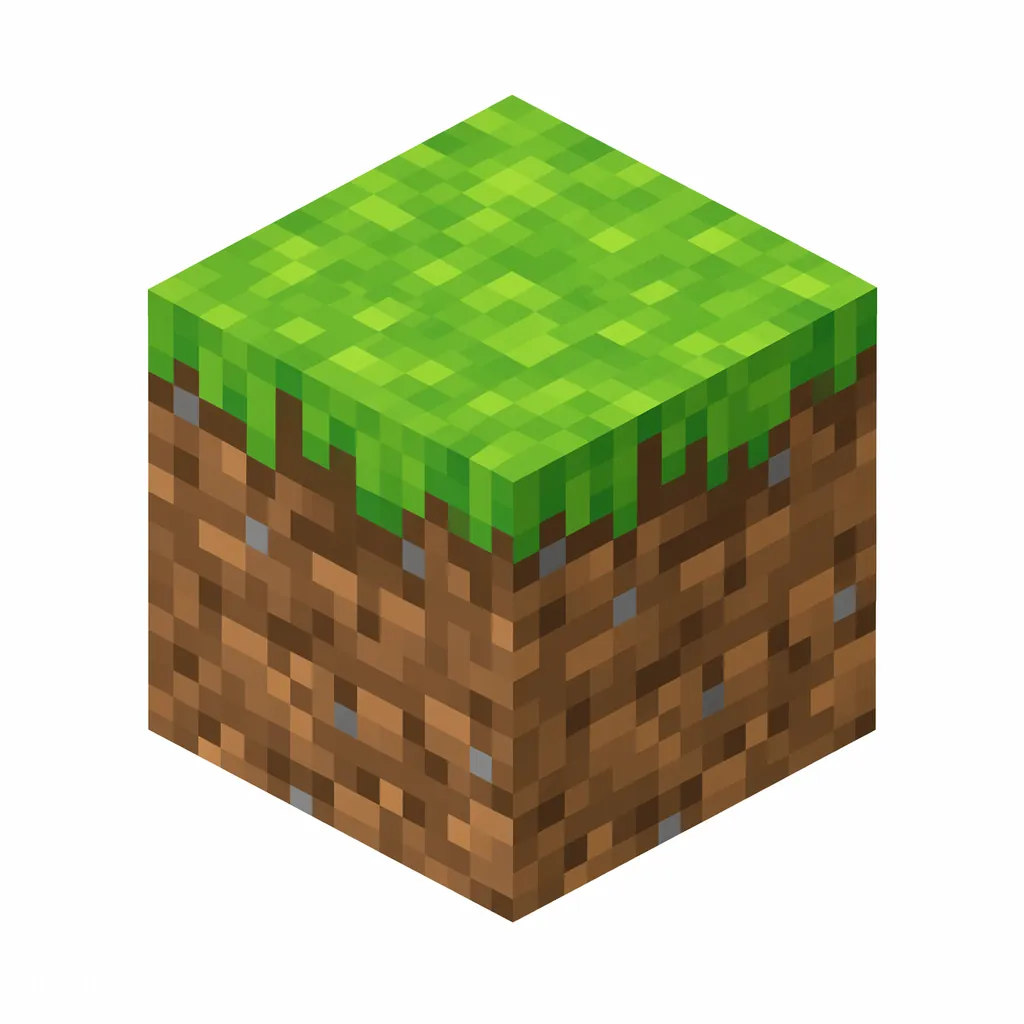
Grass Block covers much of the Overworld surface and can spread to nearby dirt in suitable conditions. Collect the block itself in Survival with a Silk Touch tool.
Modern namespaced IDs are recommended. This numerical form is only for old Java releases.
/give @p 2 1
Give command syntax by version
Java 1.13+
/give @p minecraft:grass_block 1
Namespaced ID (current format)
Java 1.8–1.12.2
/give @p 2 1 0
Numerical ID + data value
Bedrock Edition
/give @p minecraft:grass_block 1
Same namespaced ID (namespace optional)
Rows appear only when the underlying value is verified: the Java 1.8–1.12.2 row requires a reviewed historical numerical ID, and the Bedrock row appears only when this exact namespaced ID exists in the Bedrock registry.
How to Get Grass Block
Finding Grass Block
Mine Grass Block blocks with a Silk Touch tool.
More Ways to Get It
Grass Blocks generate naturally across much of the Overworld. In Survival, use a Silk Touch tool when you need to collect the grass block itself; otherwise it drops dirt when broken.
Find a grass-covered surface in the Overworld.
Use a tool with Silk Touch to collect the Grass Block itself.
Place it beside suitable Dirt when you want grass to spread into a landscaped area.
Grass Block in Minecraft: How to Get and Spread It
Quick answer: Use minecraft:grass_block in modern Java commands. In survival, a grass block drops plain dirt when mined — the grass block itself only drops with Silk Touch. Grass spreads onto nearby dirt when there is enough light.
How to get the grass block itself
Mining a grass block with a normal tool always gives you dirt. To collect the grass block as an item, you need a Silk Touch tool — any pickaxe, shovel, or axe with Silk Touch works, and a shovel is the fastest choice.
Endermen occasionally pick up grass blocks and drop them again when killed, which is the only way to get one without Silk Touch — but relying on that is pure luck.
Silk Touch shovel: the intended way to collect grass blocks.
Killing an enderman that is carrying a grass block also drops it.
Without Silk Touch you always get dirt instead.
How grass spreads, and why it matters
Grass spreads from an existing grass block onto nearby dirt blocks when the area is bright enough. This is how you repair strip-mined land or start a lawn far from other grass: place one grass block (or build a dirt staircase from an existing grassy area) and let it creep.
Sheep eat the grass layer to regrow their wool, so animal farms need real grass blocks, not plain dirt. Grass also turns into dirt when a solid block sits on top of it, and it can become farmland (hoe), a dirt path (shovel), or podzol when a giant spruce grows nearby.
Build With Grass Block
minecraft:grass_block is in the reviewed block catalog. Open a command tool with this ID already selected, then adjust the coordinates in the tool.
Compare grass terrain with alternate natural ground-cover blocks when planning a biome-style build.
Grass Block FAQ
What is the item ID for Grass Block?
The item ID for Grass Block is minecraft:grass_block. Java Edition commands such as /give, /clear, and /setblock use this namespaced ID.
What is the numerical ID for Grass Block?
Grass Block has the historical numerical ID 2, used in Java Edition 1.12.2 and earlier. Current versions use minecraft:grass_block instead.
How do I give myself Grass Block in Minecraft?
Open the chat window and run /give @p minecraft:grass_block 1 to give the nearest player one Grass Block. Replace @p with a player name to target someone else.
How many Grass Block can stack in one slot?
Grass Block stacks up to 64 per inventory slot.
Why do I get dirt instead of the grass block?
Grass blocks drop dirt unless the tool has Silk Touch. Enchant a shovel with Silk Touch and the block drops itself.
How do I make grass grow on dirt?
Place the dirt near an existing grass block with decent light and wait — grass spreads on its own. A bridge of dirt from a grassy area works anywhere, even underground if you add light.
What kills grass blocks?
A solid block placed on top turns grass back into dirt over time. Sheep also eat the grass layer, leaving dirt until it regrows.
Sources and Data Review
Item facts were reviewed for Java Edition 26.2 on .